Smart Tools 2
Tools

| App Name | SD Maid 2/SE - System Cleaner |
|---|---|
| Latest Version | v.4.14.26 |
| Last Updated | 2026-10-07 |
| Publisher | darken |
| Requirements | Android 8.0 |
| Category | Tools |
| Google Playstore | eu.darken.sdmse |
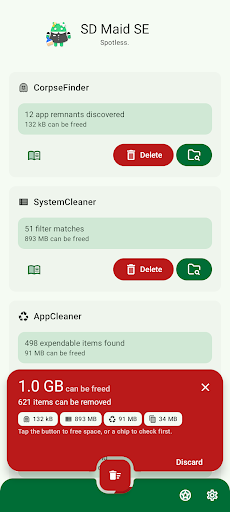
SD Maid 2/SE is your Android’s trusted assistant, to keep it clean and tidy.
Nobody is perfect and neither is Android.
* Apps you have already removed leave something behind.
* Logs, crash reports and other files you don’t want are constantly being created.
* Your storage is collecting files and folders you don’t recognize.
* Duplicate photos in your gallery.
Let’s not go on here… Let SD Maid 2/SE help you!
SD Maid 2/SE is an app and file manager that specializes in knowing which apps have created specific files on your device. SD Maid 2/SE searches your device and compares files with installed apps to offer options for safely freeing up storage space.
✨ Clean up after uninstalling apps
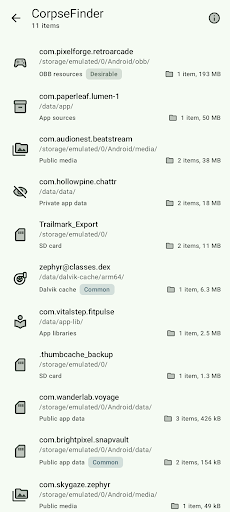
If apps create files outside their designated folders then files can remain even after uninstalling the apps. The “CorpseFinder” tool finds app remnants, tells you to which app they belonged and helps you delete them.
🔍 Search your device the smart way
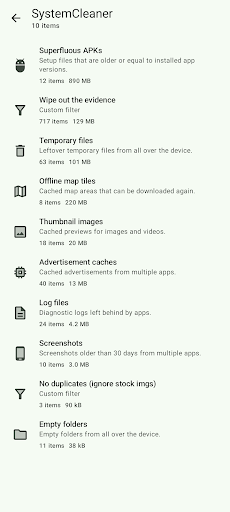
Filter for empty folders, temporary files, already installed apps and more. You can even create your own search criteria. The “SystemCleaner” tool allows you to automatically search your device and delete files based on various criteria.
🧹 Delete expendable files and hidden caches
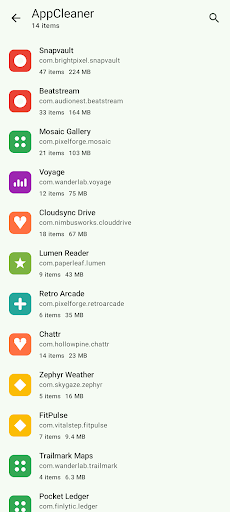
Thumbnails, trash bins, offline caches and more: If apps don’t clean up after themselves, then this app will. The “AppCleaner” tool finds apps with expendable files.
📦 Manage all of your apps
Get a comprehensive list of all apps installed on your device. Enabled, disabled, user or system app: no app can hide from you. The “AppControl” tool is an app manager that allows you to search, sort and control your apps.
📊 What is using all your space
Storage management can be complex with apps, media, system, and other files across phone storage, SD cards, and USB devices. “StorageAnalyzer” is a file manager that displays how space is used on your device, simplifying your storage management.
📷 Find duplicate data
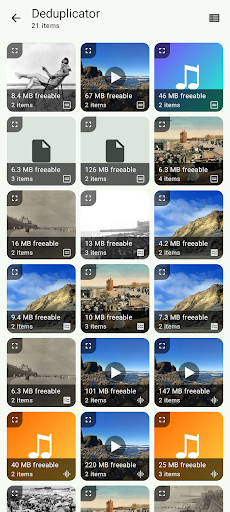
Duplicate downloads, photos sent through social media or just similar pictures of the same scene: Over time copies can accumulate. The “Deduplicator” tool finds files that are exactly the same or similar and helps you delete extra copies.
👆 Declutter with a swipe
Pick a folder and go through files one by one with simple swipes to keep, delete, or skip. The “Swiper” tool lets you review all decisions before anything is deleted, and you can save a session to continue later.
🗜️ Save space without deleting photos
Photos can take up a lot of storage, but you don’t always want to remove them. The “Media Squeeze” tool compresses your images with adjustable quality settings to free up space while keeping your pictures.
This app is ad-free. Some features require a paid upgrade.
SD Maid 2/SE is the successor to SD Maid 1/Legacy.
Optimized for newer Android versions and focused on cleaning up.
This app has optional features that utilize the AccessibilityService API to automate tedious actions.
Using the AccessibilityService API, this app can click buttons for you to perform operations on multiple apps, e.g. deleting caches.
This app does not use the AccessibilityService API to collect information.
SD Maid 2/SE is a File Manager & Cleaner App.